
AI Workflow AutomationServices
Automate repetitive business processes, connect your existing tools, and improve operational efficiency with AI-powered workflow automation solutions.
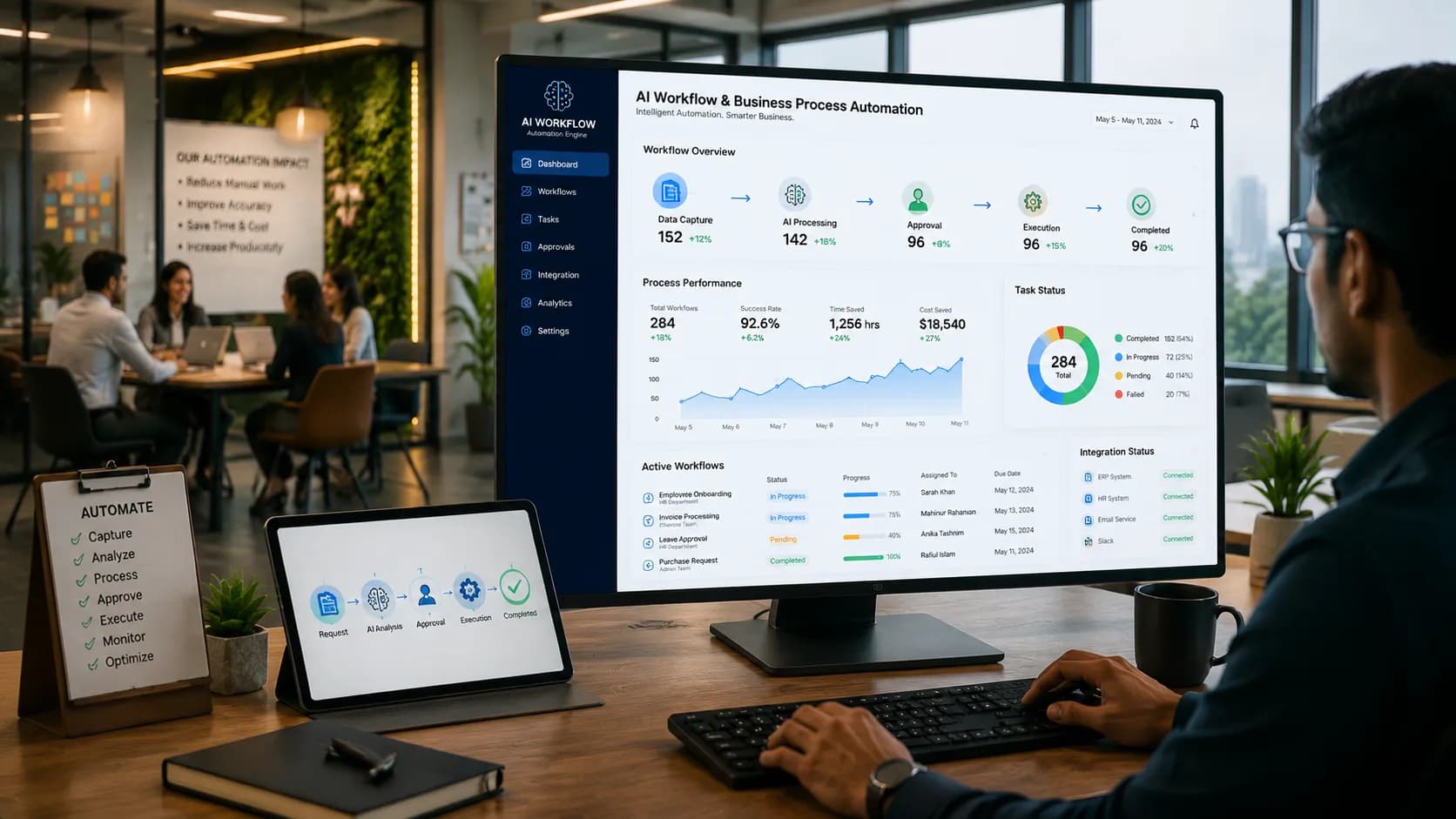
- Works With Your Tools
- Reduces Manual Work
- Complete Process Tracking
- Faster Implementation
Automatic Routing
Requests reach the right approver, in the right order, without anyone forwarding an email.
No Manual Data Entry
Data moves between systems on its own — nobody types the same number twice.
Automatic Follow-Ups
Reminders go out before a delay becomes a real problem.
Clear Bottleneck Reporting
See exactly which step in the process is genuinely slow, based on real cycle times.
Automate Your Business Processes with AI
Business process automation is software that runs a defined sequence of steps — a purchase approval, an onboarding, an invoice check — without someone manually managing each handoff. The process is written once as rules: who approves what, in what order, and when to escalate. Adding AI extends this to steps that used to need human judgement, like reading a document or classifying a request, while routing and record-keeping stay predictable.
Key Features of AI Workflow Automation
Manual handoffs are usually what slows a business down, not the work itself. These features keep a process moving without someone having to watch it.
- Rules-based routing and approvals
- Multi-step approvals with real conditions — value thresholds, department, exceptions — reach the right person automatically and reassign themselves when someone's on leave.
- Automated Data Processing
- Orders, invoices and records flow from one tool to the next through proper integrations, no copy-paste in the middle.
- AI-Assisted Decision Support
- Reads an unstructured request, classifies it, pulls out the fields — exactly the part a plain rules engine can't do.
- Automatic chasing and escalation
- A reminder before the deadline, an escalation after it, so nothing sits unnoticed for a week.
- A complete audit trail
- Who approved what, when, and on which information — ready to export without anyone reconstructing it from old emails.
Business Benefits of Workflow Automation
- ↓
- Requests stop sitting for days waiting for someone to spot an email.
- 0
- Every item has an owner, a deadline and a defined escalation path.
- 1×
- The same steps regardless of who happens to be handling it.
- ✓
- The record gets produced as the work happens, not rebuilt afterward.
Shorter approval cycles
Nothing falls through
One process, followed exactly
Audit-ready without extra work
How Our Workflow Automation Process Works
A short mapping session upfront usually finds the real problem, before any software gets built.
Swipe to see all 5 steps →
Common Use Cases for Workflow Automation
Purchase and expense approval
Requests routed by value and department, chased automatically, with a clean record behind every one.
Employee onboarding and exit
IT access, payroll setup, equipment and induction all triggered from a single form.
Invoice processing
Invoices read, matched against purchase orders, flagged on exception, queued for payment.
Customer onboarding and KYC
Document collection, verification and account setup tracked from first contact to sign-off.
- Manufacturing
- Financial Services
- Wholesale & Distribution
- Healthcare & Clinics
- Education & Training
- Government & NGO
- Logistics & Delivery
- Professional Services
How this might play out
A realistic, hypothetical scenario to show what changes — not a real client or a specific deployment.
Purchase requests for raw materials move through email and paper sign-off at a small manufacturer, so a request can sit unread in someone's inbox for days while the production line waits on stock nobody realised was never actually ordered.
Requests now route straight to the right approver by value and department, unanswered ones get chased before they cause a delay, and procurement can see exactly where any given request is stuck.
Frequently Asked Questions
01How is this different from an AI agent?
A workflow follows rules someone defined — predictable, auditable, identical every run. An agent decides its own steps toward a goal. Approvals and compliance fit workflows; open-ended tasks fit agents, and plenty of projects use both, with an agent handling one step inside a larger workflow.
02Do we have to replace our existing software?
No, and we'd usually argue against it. The automation sits across the tools you already run — ERP, accounting, email, spreadsheets. Replacing a working system just to enable automation rarely pays for itself.
03How much does process automation cost in Bangladesh?
It comes down to how many steps and systems are involved. A single approval workflow inside one tool is a small job; automating invoice processing across three systems is not. We quote after a mapping session, which we can run before you commit to anything.
04How long does it take?
Three to six weeks for a first process. Every process after that moves faster, since the integrations and the approval framework already exist.
05Will our staff need training?
Barely, by design. People stay in the tools they already use — a form, an email approval, the ERP screen they know. If a process needs a week of training to adopt, we've built it wrong.
06What happens when something does not fit the rules?
It routes to a named person as an exception instead of failing silently. We track how often that happens — a high rate usually means the mapped process had a gap, and we go back and fix it.
07Is our business data kept private?
Yes. It stays inside your own systems or a private, access-controlled environment, is never used to train shared or public models, and is never shared with other clients.
Related services
- Custom AI AgentsFor the steps that need judgement, not a fixed rule.
- AI Document IntelligenceFeed the workflow invoices and forms it can read on its own.
- ERP & Business Management SoftwareThe system most of these workflows run against.
- API Development & System IntegrationConnect whatever tools the workflow has to span.
- AI Analytics & Business IntelligenceReport on what the process is actually doing.
- AI Chatbot & Customer SupportLet customers start and track requests themselves.
Ready to Automate Your Business Workflows?
Talk with our AI experts to identify automation opportunities and build a workflow solution that fits your business.