
AI Document IntelligencePlatform
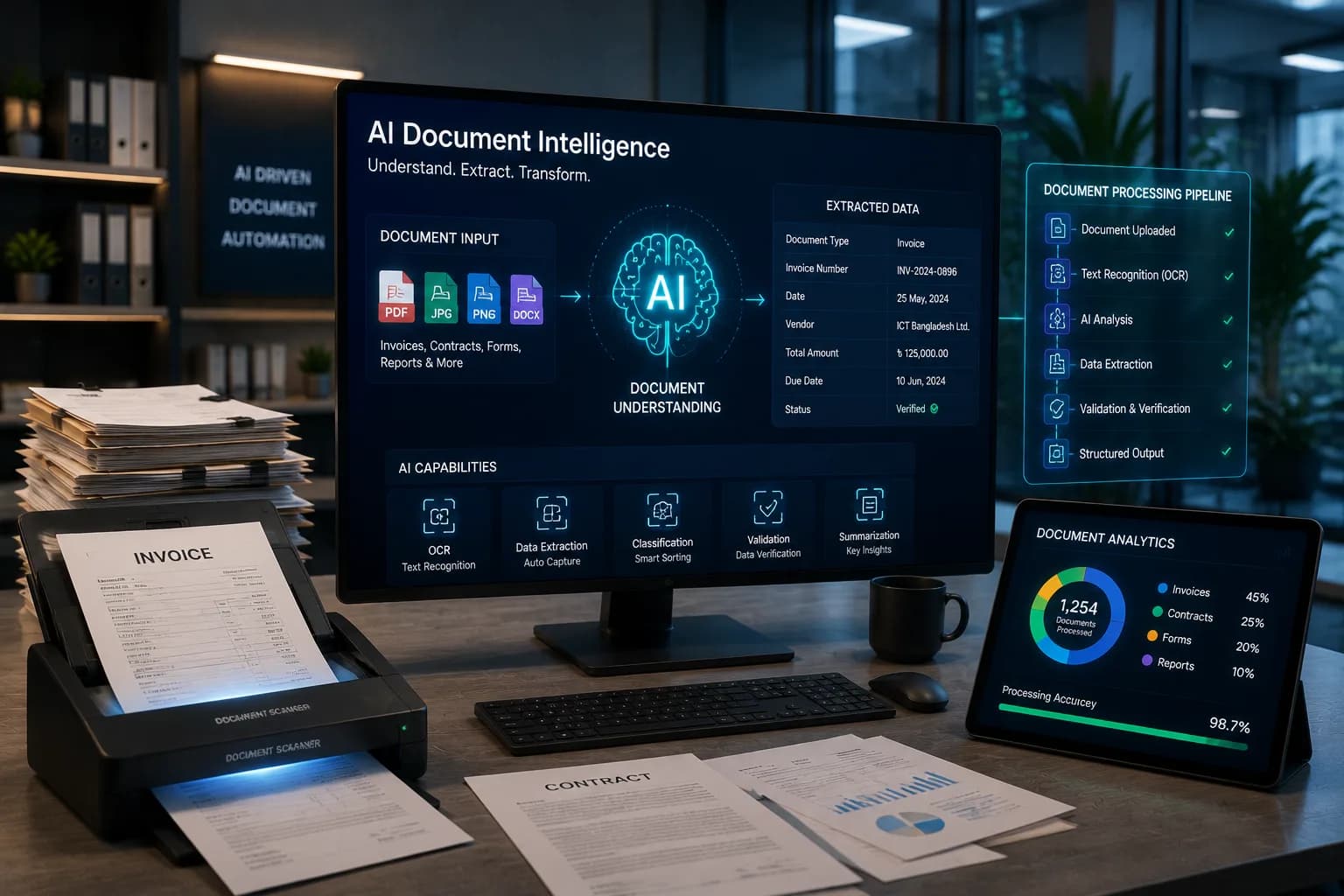
Invoices, challans, forms and bank statements get read and turned into structured data the moment they arrive, checked against your records, and pushed into your ERP or accounting system, with a person reviewing only what the system isn't sure about.
- Reads Bangla and English
- Every Field Scored for Confidence
- A Person Checks Uncertain Fields
- Live in 3–6 Weeks
Multi-Format Document Reading
Printed pages, phone photos and PDFs, in Bangla and English.
Automated Field Extraction
Invoice number, date, amounts, line items, party details.
Cross-Checked Validation
Matched against purchase orders or customer accounts before anything is accepted.
Human Review Queue
A low-confidence field goes to a reviewer, not straight into your database.
Turn Your Documents Into Structured Data with AI
AI document processing turns unstructured paperwork — scanned invoices, forms, statements, identity documents — into structured data a system can act on. OCR reads the text and a model trained on document layout works out what each number means, so it can tell a total from a tax line even when every supplier's invoice looks different. A production system also scores its own confidence on each field and sends the uncertain ones to a person, because a wrong figure in your accounts costs far more than a quick manual check.
Key Features of AI Document Intelligence
Reading 90% of a tidy invoice is easy software. Knowing which 10% it misread is the actual product.
- Layout-Aware Extraction
- Every supplier's invoice looks different, so fields get identified by meaning and position on the page. A new vendor's format doesn't require a new template to be built first.
- Bangla and English OCR
- Printed and scanned Bangla text, documents that mix both languages, and photos taken on a phone in bad light.
- Confidence Scoring
- Anything under your chosen threshold waits in a queue for a person to check; only what clears the bar gets written straight through.
- Automated Cross-Validation
- Invoices matched to purchase orders, totals checked against expected amounts, duplicates caught before a payment goes out.
- Direct System Integration
- Clean records get pushed into your ERP, accounting package or database — nobody re-keys the output on the other end either.
Business Benefits of Document Intelligence
- ↓
- Your team reviews the exceptions instead of typing every single document by hand.
- ↑
- A mismatch gets caught at the point of entry, not three weeks later in a reconciliation.
- 1st
- A document gets processed the day it arrives — no more waiting for Friday's batch run.
- ✓
- Every document that's been processed is indexed and turns up in a search later.
Hours of data entry removed
Fewer entry errors
Faster processing
Searchable archive
How Our Document Intelligence Process Works
Accuracy gets set by your worst documents, not your best ones, so that's where testing starts.
Swipe to see all 5 steps →
Common Use Cases for Document Intelligence
Supplier invoice processing
Every invoice read, matched to its purchase order, and queued for payment with exceptions flagged first.
KYC and customer onboarding
NID, trade licence and bank documents read and checked against what the applicant submitted.
Delivery challans and goods receipt
Received quantities captured straight off the challan, so stock counts don't drift from what's on paper.
Bank statement reconciliation
Transactions pulled off the statement and matched to ledger entries without anyone retyping a row.
- Financial Services
- Manufacturing
- Wholesale & Distribution
- Logistics & Delivery
- Healthcare & Clinics
- Government & NGO
- Insurance
- Professional Services
How this might play out
A realistic, hypothetical scenario to show what changes — not a real client or a specific deployment.
At a small insurer, the claims desk retypes policy numbers, incident details and billed amounts from scanned hospital bills into the claims system by hand. A figure that's wrong tends to surface only after the claim is already approved.
Now bills and forms get read the moment they arrive, fields pulled and checked against the policy record on the spot. Anything under the confidence threshold reaches a claims handler before approval, not after it.
Frequently Asked Questions
01How accurate is it?
High on clean printed documents. Lower on poor scans, handwriting or an unusual layout — which is exactly why confidence scoring and a review queue exist in the first place. Accuracy gets measured per field on your own documents, and you see that number before committing to anything.
02Can it read Bangla documents?
Yes — printed and scanned Bangla, including documents that mix Bangla and English. Handwritten Bangla is a much harder case, and we test it on its own so you get a real number, not a blanket promise.
03Do we need a template for each supplier's invoice format?
No. Fields get identified by meaning and layout, not fixed position, so formats the system hasn't seen before still work. An unusual format might need a short tuning pass.
04How much does document processing cost in Bangladesh?
It depends on document types and monthly volume. One document type at moderate volume is a small project; several types across departments is a bigger one. We quote after reviewing an actual sample.
05How long does it take to build?
Three to six weeks for one or two document types. An archive that needs digitising first adds time, and that gets flagged during sampling, not discovered halfway through the build.
06What happens to documents it cannot read?
It lands in a review queue, extracted values shown next to the original image, so a person can finish it in seconds without starting from a blank form. Nothing gets silently dropped.
07Is our document data kept private?
Yes. Processing happens in your own systems or a private, access-controlled environment. Documents never get used to train shared or public models, and for regulated data the whole thing can run entirely on-premise.
Related services
- AI Knowledge Base & RAGAsk the documents questions, not just pull fields from them.
- AI Workflow AutomationSend the extracted data through an approval chain automatically.
- Private & Local AI DeploymentRun the same extraction entirely inside your own network.
- Bengali Language AISharper handling of Bangla forms and low-quality scans.
- ERP & Business Management SoftwareThe system the clean records ultimately land in.
- Custom AI AgentsAn agent that acts on what a document says, not just files it.
Ready to Stop Retyping Your Documents?
Talk with our AI experts to identify document processing opportunities and build an extraction solution that fits your business.