
Custom AI AgentDevelopment
AI agents check stock, draft quotations, update your ERP or CRM and chase overdue invoices, acting inside the systems you already run and reporting exactly what they did.
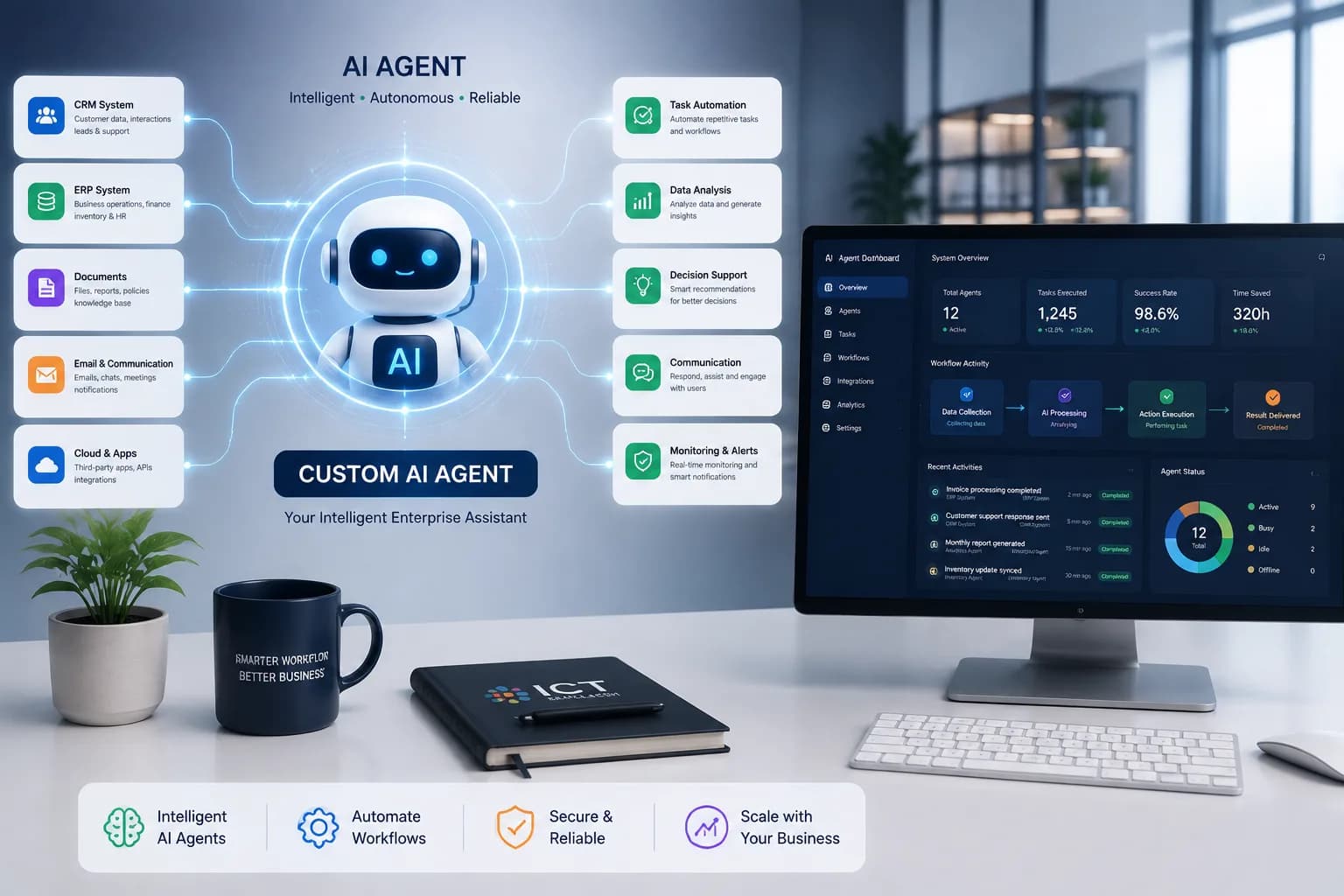
- Acts on Your Systems
- Full Audit Trail
- Human Approval Gates
- Live in 4–8 Weeks
End-to-End Task Execution
One instruction goes in; stock checks, pricing and the finished document come out the other side.
Native System Integration
Your ERP, CRM, spreadsheets, email and internal database — no new software for staff to learn.
Human Approval Gates
You decide which actions run on their own and which wait for a named person to click approve.
Complete Action Audit Trail
Timestamped and readable, open to anyone who needs to check what happened and why.
Automate Business Tasks with AI Agents
An AI agent is software that carries out a multi-step task on its own once given a goal, rather than only replying with information. Told to prepare a quotation or reconcile a set of invoices, it works out the necessary steps, uses the business systems it has been connected to, and reports back what it did. Because it can take real action inside those systems, an agent needs permission limits, approval checkpoints and a full activity log in a way a simple chatbot does not.
Key Features of Custom AI Agents
Conversation was never the hard part. The hard part is deciding what the agent can touch on its own, what needs a human first, and proving afterward exactly what happened.
- Autonomous Task Sequencing
- Give it an outcome — price this order, reconcile these accounts — and it sequences the work: look up the customer, check terms, generate the document, file it correctly. Each step stays visible, not bundled into one opaque result.
- Native ERP & CRM Integration
- Proper API connections into your ERP, CRM, database, email and spreadsheets — no browser automation clicking through screens on your behalf.
- Configurable Approval Gates
- Routine steps clear on their own. Anything touching money or a customer directly waits for a named person to say yes.
- Complete Action Audit Trail
- Every action, input and decision written down in plain language, so a manager can check a week's output in minutes.
- AI-Assisted Escalation
- Low confidence or missing data makes it pause and flag the gap — it won't push forward and leave someone to clean up after it.
Business Benefits of Custom AI Agents
- ↓
- Numbers move from one tool to the next without a person copying them by hand.
- 24/7
- Routine tasks clear overnight and are done before the office opens.
- 1×
- Not one person's version of the process — the agreed one, followed exactly, on every shift.
- ✓
- A manager can see what happened without pulling anyone off their desk to explain it.
Less retyping between systems
Work doesn't wait for morning
The same steps, every time
Nothing to reconstruct later
How Our AI Agent Development Process Works
We prove the idea on a single task with a real cost attached before any scope grows.
Swipe to see all 5 steps →
Common Use Cases for AI Agents
Quotation and order preparation
Pulls current pricing and stock, checks credit terms, and produces a draft ready for a manager to approve.
Invoice and payment follow-up
Flags what's overdue, drafts the reminder, and logs whatever the customer says back against the account.
Data entry between systems
Carries order, customer and stock data between tools that were never built to share it directly.
Internal request handling
Takes a staff request — leave, IT access, a purchase order — from submission through to a recorded decision.
- Manufacturing
- Wholesale & Distribution
- E-commerce & Retail
- Financial Services
- Logistics & Delivery
- Professional Services
- Healthcare & Clinics
- Education & Training
How this might play out
A realistic, hypothetical scenario to show what changes — not a real client or a specific deployment.
A sales rep checks stock by hand, looks up current pricing in a separate system, then types the quotation herself — twenty-plus minutes per request, squeezed between calls, often finished the next morning.
The agent pulls live stock and pricing and has a draft ready inside a minute, flags anything that needs a manager's sign-off, and keeps a record of every step for later review.
Frequently Asked Questions
01What is the difference between an AI agent and a chatbot?
A chatbot gives you an answer. An agent changes something — updates a record, produces a document, triggers a step in another system. That's also why an agent carries permission rules and an audit log that a chatbot simply doesn't need.
02How much does a custom AI agent cost in Bangladesh?
Mostly it comes down to how many systems it has to reach into. One connected to a single tool is a modest project; one coordinating an ERP, a CRM and a payment gateway is not. We map the process with you first, then give an itemised number.
03How long does it take to build?
Four to eight weeks covers a first agent handling one well-defined process. Each task added after that moves faster, since the integrations and the permission model are already built.
04Can it make a mistake that costs us money?
That's precisely what approval gates exist for. Anything financial, contractual or customer-facing can be set to wait for a named person's sign-off, and you decide where that line sits — it can move as confidence grows.
05Will it work with our existing ERP or accounting software?
Usually, yes. We connect through an API where one exists, and through the database or a file exchange where it doesn't. Discovery confirms this before you commit to anything.
06Is our business data kept private?
Yes. It stays inside your own systems or a private, access-controlled environment, is never used to train shared or public models, and is never shared with other clients.
07What happens if the agent gets something wrong?
Every action is logged and, where the underlying system allows it, reversible. A low-confidence situation makes it stop and ask; it won't guess and hope for the best. We tune those thresholds with you across the first few weeks.
Related services
- AI Workflow AutomationPut the process the agent runs inside on rails of its own.
- AI Chatbot & Customer SupportCover the questions that come in before any action is needed.
- AI Knowledge Base & RAGFeed the agent answers pulled straight from your documents.
- AI Document IntelligenceGet invoices and forms read automatically, no retyping.
- Private & Local AI DeploymentKeep the whole thing running inside infrastructure you control.
- ERP & Business Management SoftwareThe system most of these agents end up working inside.
Ready to Automate Your Business Tasks?
Talk with our AI experts to identify automation opportunities and build an agent solution that fits your business.